Task: Create a user named “jim” on App Server. Set the expiry date to 2024-02-17, ensuring the user is created in lowercase as per standard protocol.
SSH into App Server
ssh tony@stapp03

Check if the user is already present or not.
id jim

Switch to root user
sudo -iorsudo su -

Create/ Add the user and verify it with usind
idcommanduseradd jimid jim

Use
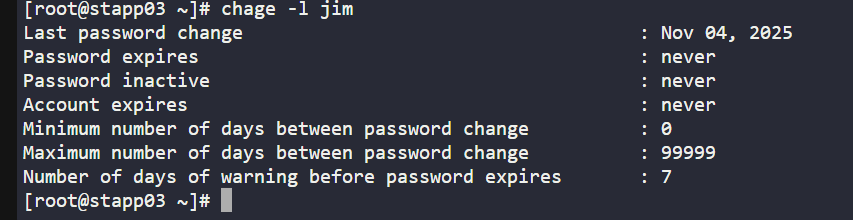
chagecommand with-lChage command is used for monitoring and changing the user password expiry date.
-l option lists all current password aging details of a user.
Here, the account expires is never.
To set the expiry for the user
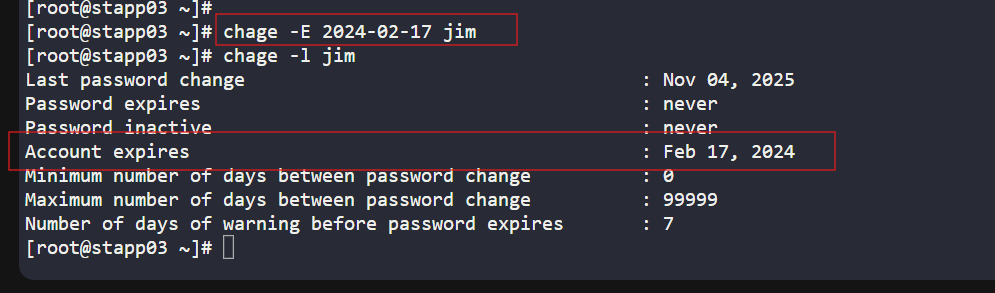
chage -E 2024-02-17 jimNow, again verify using chage -l command:
chage -l jimNow, you can see Account Expires has been changed to the mentioned date.
Note: You can use chage -help command to see other options that can be used with chage command.