- What is a non-interactive shell.
A non-interactive shell is a shell that does not allow the user to interact with the system after logging in. When a user with a non-interactive shell attempts to log in, the session is immediately terminated. This type of shell is useful for creating system users who need access to certain files or services but do not require or should not have direct access to the command line.
Why to create a non-interactive user.
To perform specific tasks without requiring full access to the system like automated processes, cron jobs, and service accounts and as it non-interactive, it enhances security.
Task: Linux User Setup with Non-Interactive Shell
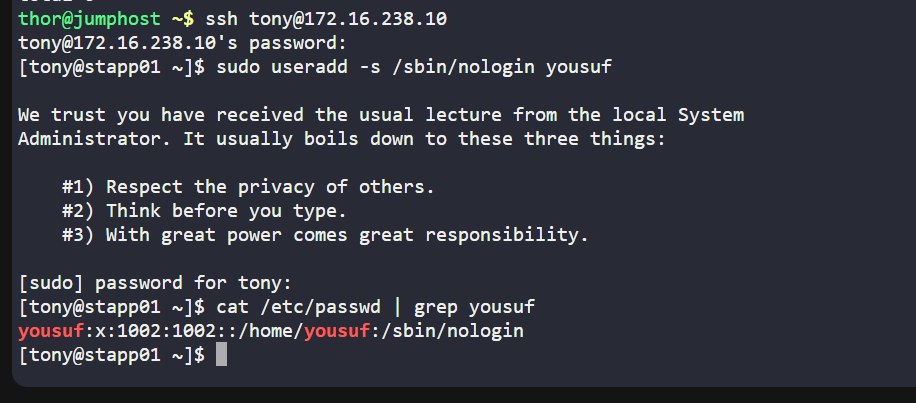
Login to the server using SSH.
ssh user@server_ipUse useradd command to create user (yousuf) with required permissions.
sudo useradd -s /sbin/nologin user_nameTo verify use:
id user_nameorcat /etc/passwd | grep user_name